What can start it
- Job messages and issues
- Quote status changes
- User check-in and check-out
- Group and chat events
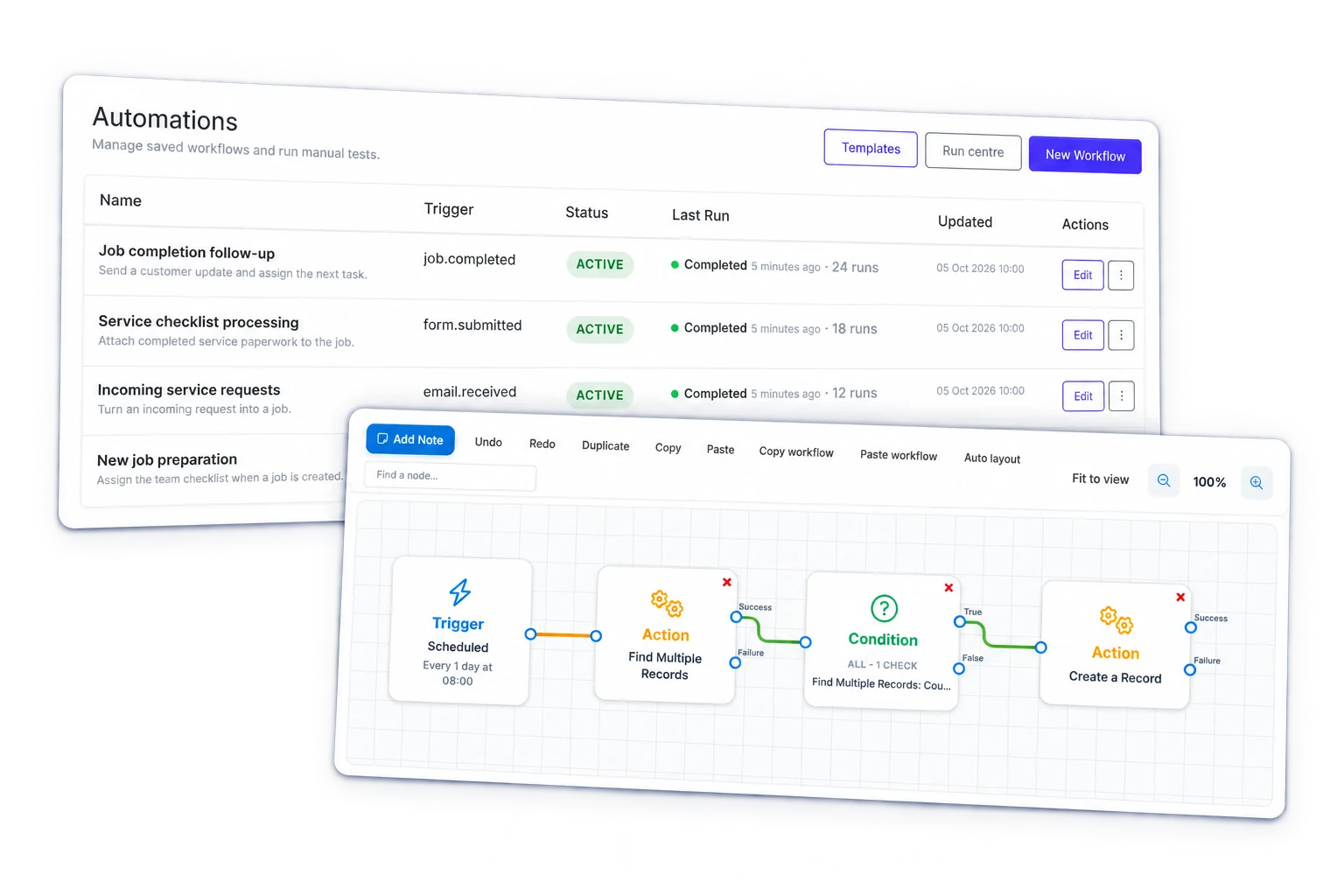
Build node-based automations that react to live job, quote, chat, and activity events so the right reply, update, task, or note happens without another round of manual admin.
One update
can kick off the next step automatically
Less chasing
because the right record already has the context
More done
from one automation instead of several manual steps
Built for everyday work, not one-off tech demos
These examples stay deliberately practical: the trigger fires, the workflow checks context, and the action lands back in the work your team already manages in Intrflex.
Job message workflow
When a new issue is raised on a job, the workflow can decide how urgent it is, pull in recent context, draft a reply, and create the follow-up work for the right team.
The builder stays simple on the surface: start with a trigger, add decision points, pull in context, and end with an action that clears work instead of creating more of it.
The same builder can handle customer replies, team handoffs, record updates, and end-of-day tidy-up work. What changes is what starts it and what you want to happen next.
What can start it
What it can do
Where the work goes
The difference is not just speed. The bigger shift is that context, accountability, and next actions stay attached to the work instead of living in inboxes, chat, or memory.
Manual handoff
Intrflex automation
If you want to test this against your own operational handoffs, the fastest route is a live demo on your process.
An automation can start from updates your team already makes in Intrflex, like a job message, a quote being accepted, or someone checking in or out. The point is to use real day-to-day activity, not add another admin step.
Yes. One automation can reply to a message, create a task, add a note, or update a record if that is what the situation needs.
It uses the job, message, user, or activity that started the automation, plus any related details already linked in Intrflex. That helps the action land in the right place automatically.
No. AI is optional. Many teams get value just from automating routine follow-ups, handoffs, and record updates. AI is there when you want help drafting or summarising.
We usually take one or two real examples from your business and show how Intrflex could handle the next step automatically, whether that is a reply, a task, a note, or an update.
Book a demo and we’ll map one or two real operational handoffs into a node-based flow your team could actually run.