
Martin Beardmore
Founder & CTO
Martin builds the technology behind Intrflex, with experience developing software and automating the admin that slows service teams down.
More about MartinJoin Intrflex at the National Civils Show 2026, the civil engineering expo at ExCeL London. Visit stand CB05 on 25 and 26 November to see real-time asset locations, BLE tags, GPS tracking and job management connect your equipment, crews and sites.
Find us on stand CB05Civil Engineering · ExCeL London &
North compound · GPS tracker
Select a marker to explore. Simulated positions and updates.
A compactor in the compound. An excavator on the move. See how Bluetooth tags and GPS trackers bring location updates back to the same operation.
Link a BLE tag to an asset. The tag broadcasts its identity using a low-energy Bluetooth signal.
A compatible phone or gateway picks up the tag and sends a sighting with the reader's location.
The sighting connects to the asset record, so your team can see where it was last detected and when.
BLE tags report proximity through a reader, rather than their own GPS fix. Updates depend on reader range, permissions and connectivity.
Explore BLE tags for assets that don’t need a dedicated GPS tracker. We’ll show how a tag is linked to its equipment record, what a reader detects and how to interpret a last-seen location.
See how GPS tracking reports the position of the tracked vehicle or machine. Compare location history with the work being delivered, and discuss the hardware and update frequency your operation needs.
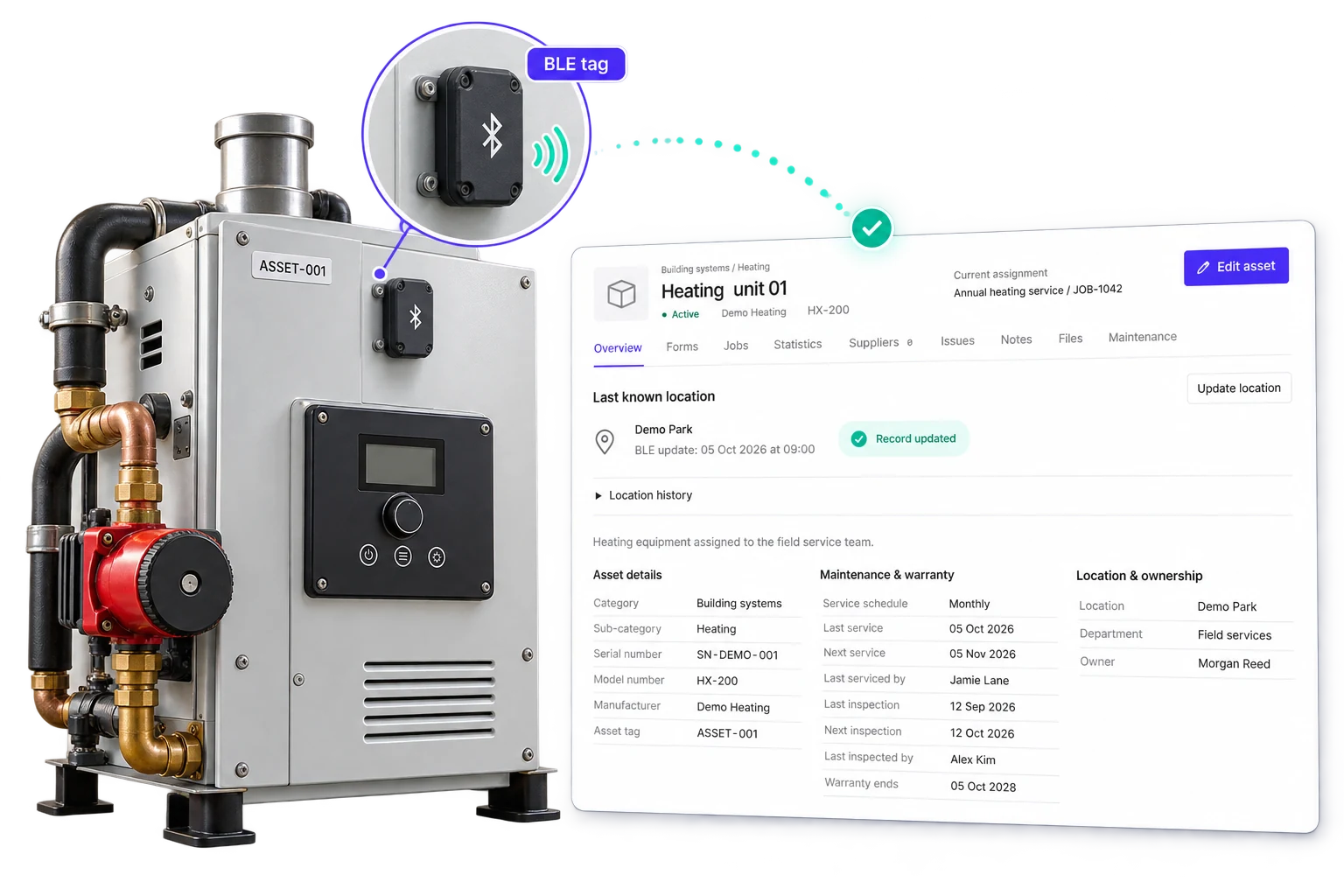
Location is only the start. We’ll demonstrate how Intrflex brings equipment details, maintenance and job history together, so the office and the site work from the same record.
Bring the work, crews and equipment into one plan. Follow a working day across three sites, from dispatch to the evidence that closes the job. We’ll demonstrate how the office and field teams share job details, record time and keep progress visible as the workload grows.
| Job / site | Crew | Equipment | Status |
|---|---|---|---|
| Drainage installationJB-2081 / North compound | Groundworks A | EX-014 · Excavator | Scheduled |
| Sub-base preparationJB-2082 / Riverside works | Groundworks B | CP-028 · Compactor | Scheduled |
| Site inspectionJB-2083 / East access road | Site supervisor | VN-006 · Crew van | Scheduled |
Allocate crews and equipment across sites. Give each team the job details, location and required forms before work begins.
Built for civilsInteractive example using fictional jobs and crews. Select a stage to follow the work.
Tracking tells you where equipment was. Job records show what happened next. At stand CB05, explore how site forms and configured workflows carry the details through to completion.
Collect inspection results, measurements, photos and signatures in forms assigned to the job. Keep the submission with the work it relates to.
Explore workflows that create follow-up tasks and notify the right people when a check records a problem. Your team carries out the work and records the approval.
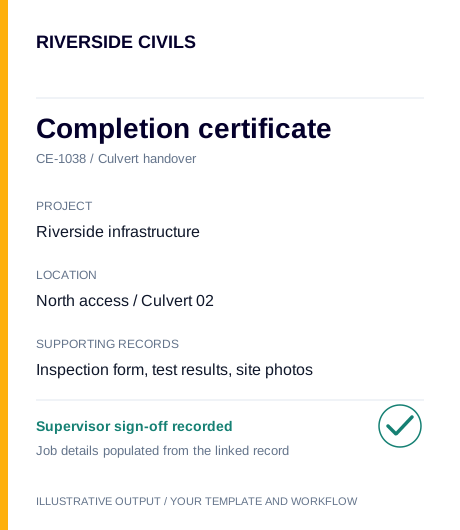
Use document templates and workflow conditions to generate branded PDFs and send them to selected recipients when the required results and approvals are recorded.
Join Martin, Tom and Lewis for a conversation about your operation. From the technology behind the platform to the everyday realities of running a service business, bring your questions straight to the team.
Founder & CTO
Martin builds the technology behind Intrflex, with experience developing software and automating the admin that slows service teams down.
More about Martin
Founder
As founder of Intrflex and Managing Director of Beaver Floorcare, Tom brings hands-on trade experience and a practical view of running field operations.
More about Tom
Business Development
Lewis works in business development, helping service teams explore simpler workflows and how Intrflex can fit the way their business works.
More about LewisSee how BLE tags and GPS tracking connect to asset locations, then follow the equipment into asset records and jobs. We’ll also demonstrate multi-site job planning, updates from the field, maintenance information, site forms and document workflows. Bring a real example of the work you manage so we can focus on what matters to your team.
A list of the types of equipment you track, the number of sites and crews you coordinate, and a sample job or inspection form are useful starting points. Tell us where equipment is stored, how it moves between sites and which information the office needs back. We can then discuss a suitable combination of tags, readers, trackers and software.
No. BLE tags can identify equipment when it is detected by a compatible reader, while a GPS tracker calculates its own position. The right approach depends on the asset, coverage, power and how frequently you need updates. We’ll walk through the differences and what a reported location can tell you.
Find Intrflex on stand CB05 in the Civil Engineering section at ExCeL London. The show runs on 25 November 2026, 10:00 to 17:00, and 26 November, 10:00 to 16:00. Entry is free for trade visitors, with registration required through the organiser. See the official floorplan page (opens in a new tab) for the layout when it is published.
Yes. Book an Intrflex demo and we can walk through your asset management, tracking and job processes remotely. You can also use the demo enquiry to speak with us before attending the show.
Find us in the Civil Engineering section. Come and see the tags, follow the tracking and explore how the work connects. Tell us how your operation runs and we’ll show you where Intrflex fits.
Demo enquiries go to Intrflex. Visitor registration is with the show organiser.
ExCeL LondonOne Western Gateway, Royal Victoria Dock
London, E16 1XL