Landscaping management software.

Manage landscaping jobs, quotes and invoices in one place. Keep your team, plans and customers connected, from the first site visit to the final planting.

Less chasing. More creating.

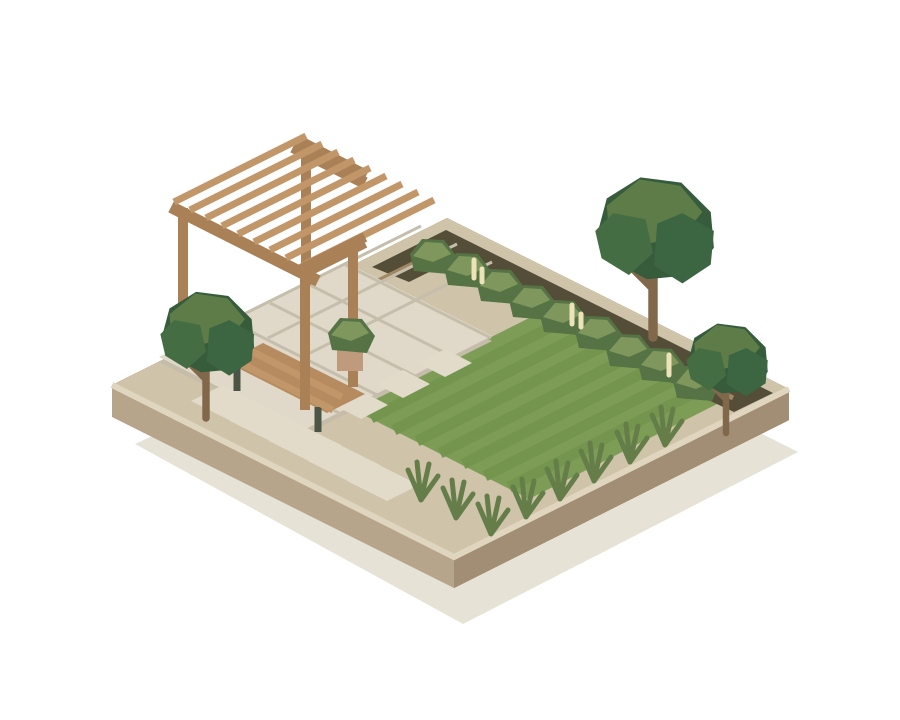
Isometric garden design with a lawn, paved terrace, trees and pergola
Your next project, taking shape.
Garden design & buildHard landscapingSoft landscapingGrounds maintenance

Landscaping jobs, quotes
and invoices in one place.

Keep the office and the team on site working from the same information. No digging through messages to find the latest detail.

Explore landscaping jobs, quotes and invoices

A clear plan.
A team in the know.

Schedule the work, assign your crew and keep site notes, drawings and progress photos with the job. Everyone knows where to be and what comes next.

Explore job management ↗
JOB / LG-024In progress

The Wilson garden

Garden redesign · Team: Alex & Sam

LAWNTERRACE
  1. ✓ Site preparation Complete
  2. ✓ Paving & edging Complete
  3. 3 Planting & finishing In progress

Quotes as considered
as your designs.

Bring labour, plants and materials into a clear, itemised quote. Keep the agreed scope with the customer record so you can move into the job with the details to hand.

Explore quotes & invoicing ↗
QUOTE / Q-024Draft quote

The Wilson garden

A clearer picture of the work ahead.

Site preparation & labour
£2,400
Porcelain paving & materials
£3,200
Plants, soil & turf
£1,200
Example total excluding VAT£6,800

Try adding the pergola to update the example quote.

Good work deserves
a tidy finish.

Create invoices linked to the job and customer. Send them by email, keep track of their status and give customers an online payment route when payments are configured.

Try the customer payment example ↓
INVOICE / INV-024Awaiting payment

A garden, delivered.

The Wilson garden · Final landscaping works

£6,800Example invoice, excluding VAT
Linked job
LG-024
Customer
Jamie Wilson
Delivery
Sent by email

Job completed → Invoice sent → Payment recorded

Job plans and drawings.
Accessible on site.

Keep site drawings, floor plans and paving layouts attached to the job. Your team can open the files on mobile, with the details in front of them where the work happens.

  • Bring plans and supporting documents into the job.
  • Access the drawings from site on a phone or tablet.
  • Keep the brief, photos and plans with the same work.
See jobs on mobile in a demo ↗
‹   Job LG-024Attachments

The Wilson garden

Choose a drawing to preview
12.0 m8.0 mNEW LAWNPAVING KITCHENLIVING SPACEENTRANCESTUDYGROUND FLOOR
Garden site plan.pdfAttached to job LG-024

Automations for
landscaping teams.

A snag email becomes a follow-up task. A payment becomes a thank-you. Watch the information move between your inbox, jobs and customers.

Choose a workflow
  1. Email received

    A customer emails your connected inbox about a snag.

  2. Find the customer

    Match the sender to their contact and find the relevant job.

  3. Create a follow-up

    Create a task for the team to review and arrange the remedial visit.

  4. Send an acknowledgement

    Confirm receipt by email so they know the issue is being picked up.

Connected inboxOne of the patio slabs is loose.Jamie Wilson · The Wilson garden
INTRFLEXJob LG-024
Jamie Wilson matched to contact
The Wilson garden found: LG-024
Task created: check loose patio slab
Acknowledgement emailed to Jamie
  1. Request submitted

    A customer sends a new request through their portal.

  2. Keep the details

    Keep the request against the customer, with the description and supporting files.

  3. Notify the team

    Configured portal notifications let the team know there is a new enquiry to pick up.

  4. Review & plan

    Review the request in the office, then convert it into a quote or job when ready.

Customer portalCould you quote for hedge trimming?Jamie Wilson · The Wilson garden
INTRFLEXCustomer requests
New request from Jamie Wilson
Hedge trimming details saved
Office team notified
Request ready for your team to review
  1. Payment recorded

    A recorded invoice payment starts the configured workflow.

  2. Check the balance

    Check the invoice is paid in full before moving to the next step.

  3. Send a thank-you

    Send the customer a thank-you email using your chosen template.

  4. Plan the aftercare

    Create a task to follow up about planting care or future maintenance.

Customer payment£6,800 received for INV-024Jamie Wilson · The Wilson garden
INTRFLEXInvoice INV-024
Payment linked to INV-024
Balance checked: £0 outstanding
Thank-you email sent to Jamie
Aftercare follow-up task created

Your inbox, jobs and customers, connected by the rules you choose.

Explore Intrflex automations ↗

A customer portal.
For every landscaping job.

A customer portal gives your customers a place to raise requests and view shared job information and invoices. Keep the conversation connected long after the last plant goes in.

  • Give customers a clear view of their project.
  • Keep new requests attached to the right customer.
  • Offer online invoice payments when configured.
See the customer portal in a demo ↗
FIELD & FERNExample customer portal

Hello, Jamie.

Your garden is looking good.

Explore the example customer portal
Completed garden with planting, paving and a pergola

The Wilson garden

Planting & finishing

Your plans and updates, together in one place.

See how a request is handled ↑
INV-024Awaiting payment
£6,800Final landscaping works · Example amount

Interactive example only. No payment is taken.

A few things
you might be wondering.

Is Intrflex suitable for a small landscaping team?

Use Intrflex to bring customer records, quotes, jobs and invoices together as your team grows. Book a demo to explore the features and plan that fit your business.

Can the team update jobs while they are on site?

Yes. The team can use the Intrflex mobile app to access assigned jobs and record notes, photos and progress, keeping the office connected to the work.

Are these automations ready to use?

The examples show how a workflow can be configured. You choose the triggers, conditions, customer matching, actions and message templates. Connected inboxes, portal access and payment services need the relevant setup.

Can customers pay invoices online?

Online payments are available when your payment service is configured. Customers can follow the payment route on a shared invoice. The example on this page simulates that experience and does not collect payment details.

You grow the gardens.
We’ll help with the groundwork.

See how Intrflex brings your landscaping business together.

Let’s take a look