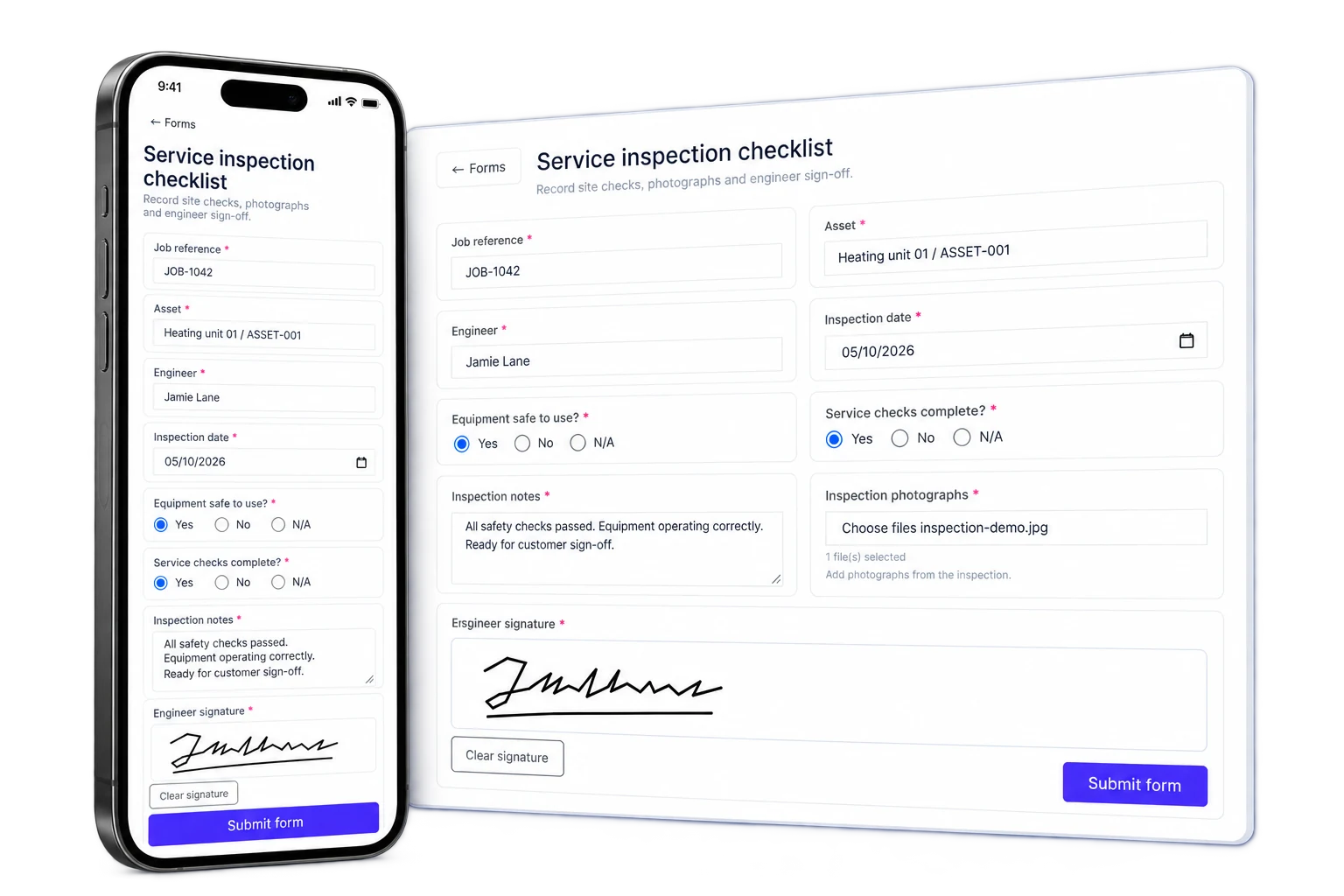
Collect the information your business needs, wherever the conversation starts.
A form might begin on your website, in a customer record, on a live job, or in the mobile app. Intrflex keeps the builder and the response in one system, so information arrives structured and already connected to the work.
Publish anywhere
Embed a form on your website, share its public page, or send a secure request to a specific contact.
Keep context attached
Connect forms and their responses to contacts, prospects, jobs, and users instead of matching anonymous answers by hand.
Use the same form on mobile
Give field teams the forms they need inside the Intrflex app, including job and profile assignments.
Tell us what you need.
Complete the form and our team will have the details ready when we call.
Your name
How can we help?
Illustrative demo: website enquiry → submitted response in Intrflex.
Put Intrflex forms directly on your website.
Turn a public form into part of your own website without rebuilding it in another tool. Publish once, use the supplied embed code, and let responses flow back into Intrflex.
- 1 Embed forms on approved website domains or share a standalone public page.
- 2 Choose the public submit-button wording and colours to suit the form experience.
- 3 Show clear success and failure messages after someone submits.
- 4 Keep page, referral, and campaign context with public submissions when available.
Build for the information you actually need.
Mix input fields, choices, evidence, and structural content to create anything from a short enquiry to a detailed operational record.
Written information
Collect short text, longer answers, email addresses, numbers, and formatted responses with the right validation.
Choices and ratings
Use selects, multi-selects, radio choices, yes or no answers, and five-star ratings for consistent data.
Dates and times
Ask for a date or date and time, with earliest and latest limits where the process needs them.
Files and evidence
Let people attach supporting files so evidence arrives with the response instead of in a separate email.
Signatures
Capture a signature as part of the form on web or mobile and keep it with the completed submission.
Clear form structure
Use headings, dividers, and formatted content to explain sections and make longer forms easier to complete.
Forms belong to the record they are collecting information for.
Instead of treating forms as a separate inbox, Intrflex makes them available at the points where your team already works.
- Contacts and prospects: send secure requests, prefill known details, copy a link, and track the response lifecycle.
- Jobs: assign the forms needed for the work and make critical forms required before completion.
- Users: assign internal forms to the relevant person and keep them accessible from their profile.
- Form library: keep active forms available for direct completion across the web app and mobile app.
Site survey
One reusable Intrflex form
Website
Embedded or public
Contact
Secure request sent
Job J-4821
Required before completion
Mobile app
Ready to complete
Responses return to the right record
Answers, files, signature, submitter, and status
Illustrative demo: one reusable form, with responses connected to the relevant record.
Complete job forms in the Intrflex mobile app.
Forms are part of the field workflow, not a desktop-only add-on. Team members can find and complete active forms wherever the work is happening.
- 1 Search and open active forms from a dedicated Forms area in the app.
- 2 Complete forms assigned to a job or directly to the signed-in user.
- 3 Use mobile-friendly text, number, choice, date, rating, file, and signature fields.
- 4 See outstanding required forms before attempting to complete a job.
Forms
3 activeSite survey
Job J-4821 · Riverside
Inspection passed?
✓ Yes
Supervisor signature
Equipment handover
Available form · 8 fields
Training acknowledgement
Assigned to your profile
Illustrative demo: complete, sign and submit a form from the field.
New customer enquiry
24 submissions · 7 files
#024 · Hannah Evans
Boiler replacement enquiry · 2 files
#023 · Morgan Lee
Annual service request · Website
#022 · Job J-4798
Site completion · Signature attached
↓ Enquiry-024.pdf
Illustrative demo: responses arrive, stay organised and can be exported.
Review every response without digging through messages and attachments.
Submissions arrive in a searchable view with their answers and supporting files together, making them useful after the form has been completed.
- 1 Search submissions by response content, submitter, or submission number.
- 2 Open a complete read-only view of the answers and attached files.
- 3 Export an individual response as a PDF when it needs to be shared or filed.
- 4 See whether a requested form is pending, completed, expired, or revoked.
See how one form can work across your whole business
Book a tailored walkthrough and we will show you how to build forms, publish them on your website, connect them to records, and complete them through the mobile app.
Book your forms demo
Tell us what information you need to collect and where it should connect in Intrflex.
After you submit, we arrange your demo and walk through your workflow. We agree setup and training with you based on your team and data.
What the demo includes
- Your current workflow: We start with how your team handles jobs, updates, and paperwork today.
- Live walkthrough: We show how scheduling, field updates, and job records work together in one system.
- Questions answered: We cover the parts of Intrflex that matter to your process, team size, and pain points.
- Next steps: You leave with a clear view of fit, rollout expectations, and what onboarding looks like.
- 50% discount for 3 months: Book a demo and lock in your exclusive discount.
Common questions about Intrflex Forms
Straight answers about public forms, website embeds, connected records, and mobile completion.
Can I add an Intrflex form to my website? + -
Yes. Make the form public, enable embedding, add your approved website domains, and copy the supplied embed code into your site. You can also share the form as a standalone public page.
What information can forms collect? + -
Build forms with text, number, date and time, select, multi-select, radio, yes or no, rating, file, and signature fields. Headings, dividers, and formatted content help you organise longer forms clearly.
Where do completed forms appear in Intrflex? + -
Responses stay with the form and, when the form was requested or assigned from a record, remain connected to the relevant contact, prospect, job, or user.
Can I send a form directly to a contact? + -
Yes. Create a secure form request from a contact or prospect, optionally prefill known answers, email the request, copy its link, and track whether it is pending, completed, expired, or revoked.
Can forms be required on a job? + -
Yes. Assign a form to a job and mark it as required. Intrflex can prevent the job from being completed until every required form has been submitted.
Are forms available in the mobile app? + -
Yes. Forms are fully integrated into the Intrflex mobile app. Team members can find active forms, open forms assigned to jobs or their profile, complete supported fields, add files and signatures, and submit from the field.
Can I control who sees a form? + -
Yes. Forms can be public, available internally, or private to selected users. Website embedding can also be restricted to the approved origins you specify.